 PortraitArt


How to Turn Yourself into a 3D Cartoon Character
Ever wondered what you'd look like as the star of an animated movie? Big expressive eyes, a friendly rounded face, glossy hair and that warm, cinematic lighting. With AI, you can turn an ordinary photo of yourself, your kids or your whole family into a 3D cartoon character in seconds, and it still looks like you.
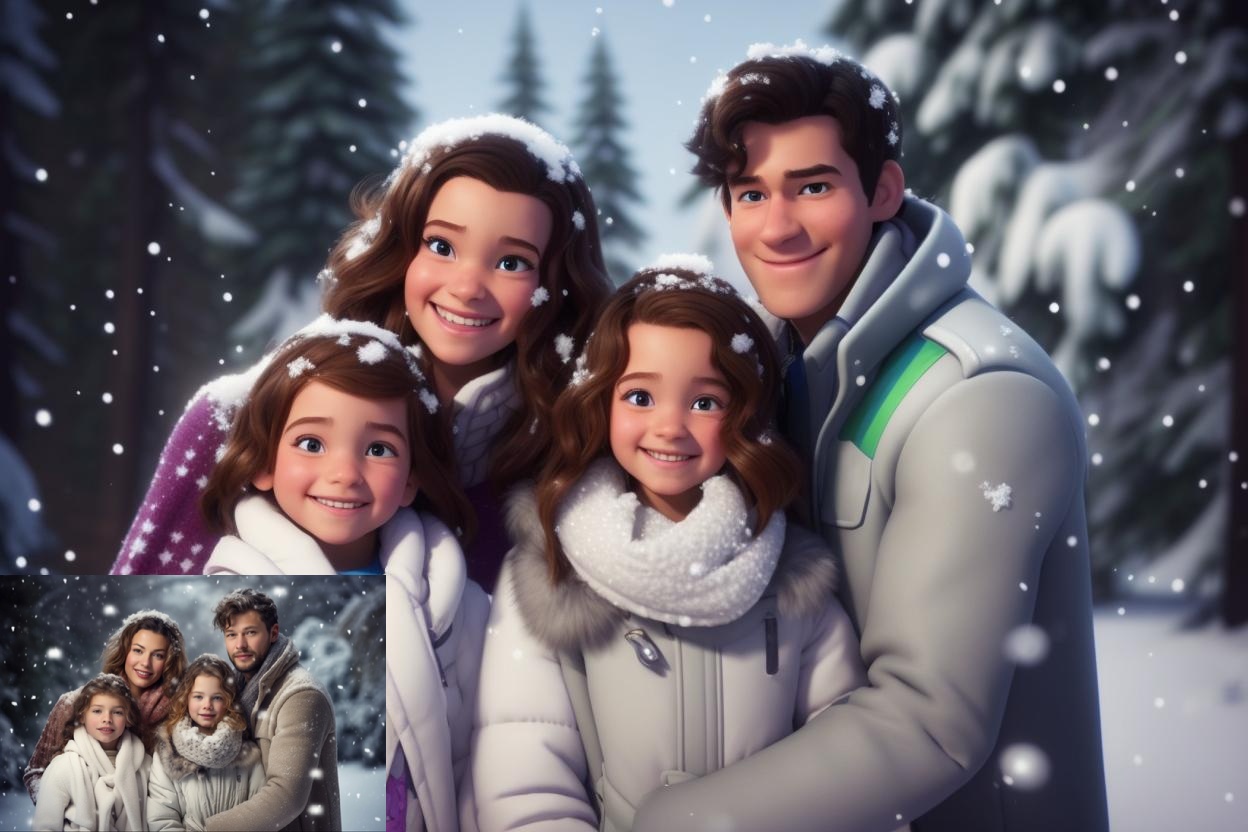
Quick answer: To turn yourself into a 3D cartoon character, upload a clear photo to PortraitArt's photo-to-3D-cartoon tool, choose the Cartoon 3D style, and download your character in seconds. It works for selfies, kids, couples and whole-family photos.
What does a 3D cartoon version of you look like?
The 3D cartoon style reimagines you as a character from a modern computer-animated film. Your hair, outfit, pose and key features carry over from your photo, so friends recognize you instantly, while everything gets the animated-movie treatment:
- Big, expressive eyes and slightly exaggerated smiles that make every character look friendly.
- Smooth, stylized skin and rounded features with softer, more playful proportions.
- Volume and depth. Hair, clothes and faces look sculpted in 3D rather than drawn flat.
- Cinematic lighting with warm highlights and soft shadows, like a still frame from a movie.
3D cartoon vs. other cartoon styles
Not sure 3D is the look you want? PortraitArt offers several cartoon styles you can try on the same photo:
| Style | Looks like | Best for |
|---|---|---|
| Cartoon 3D | A character from a computer-animated movie | Avatars, family portraits, kids, holiday cards |
| Cartoon 2D | A flat, hand-drawn cartoon | Stickers, invitations, merch and simple graphics |
| Caricature | Exaggerated features, like a boardwalk caricature artist | Funny gifts, birthdays and office farewells |
| Illustration | Clean vector art | Logos, websites, posters and invitations |
How to turn a photo into a 3D cartoon in 4 steps
- Upload your photo. Open the photo-to-3D-cartoon tool and select a photo from your computer or phone.
- Choose the Cartoon 3D style. Pick "Cartoon 3D" from the list of 15+ art styles. Your character is ready in seconds.
- Resample for a new take. Each version is a slightly different interpretation. Click "🎲 Resample" (or the Cartoon 3D style again) until you find your favorite.
- Download and use it. Save the high-resolution image as a profile picture, print it, or share it with friends and family.
Photo to 3D cartoon examples
Real photos and their 3D cartoon versions, made with PortraitArt:
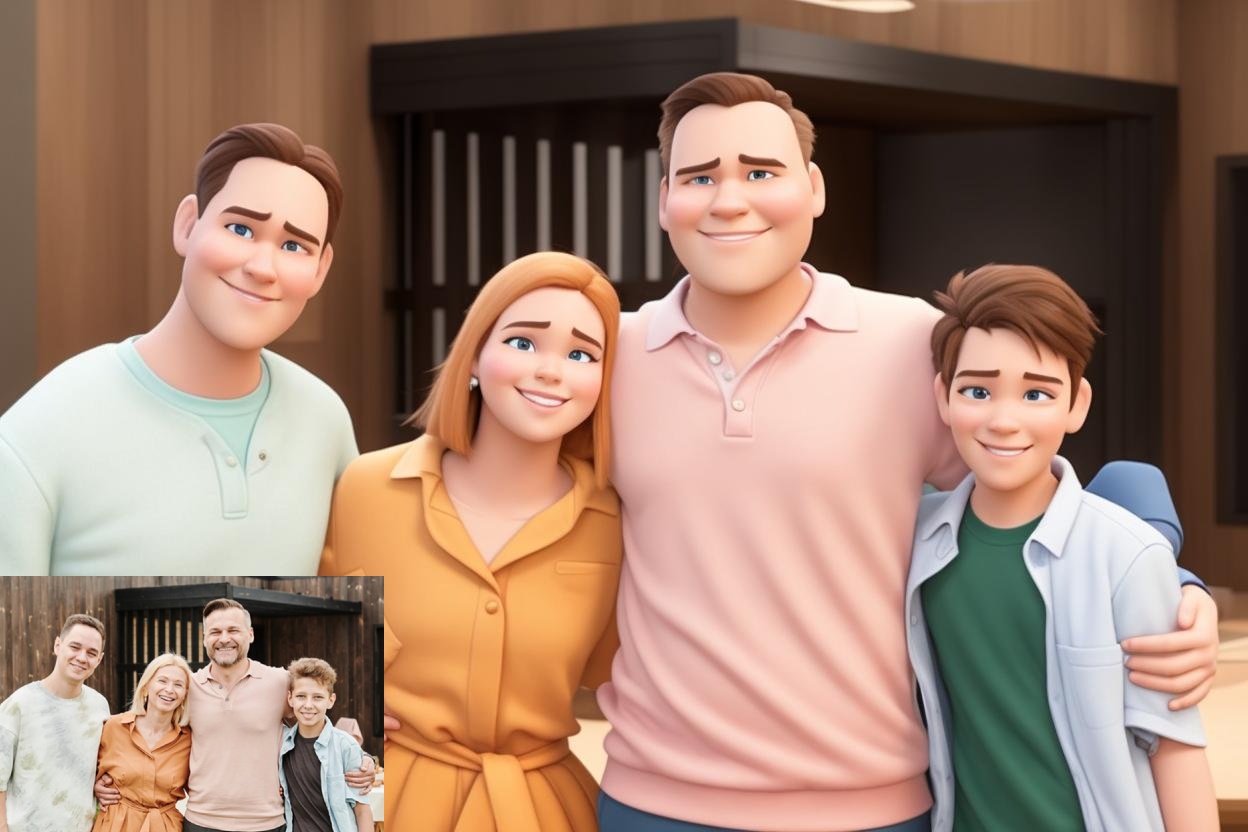
Family portraits
Everyone keeps their own look, outfit and expression. Perfect for holiday cards.
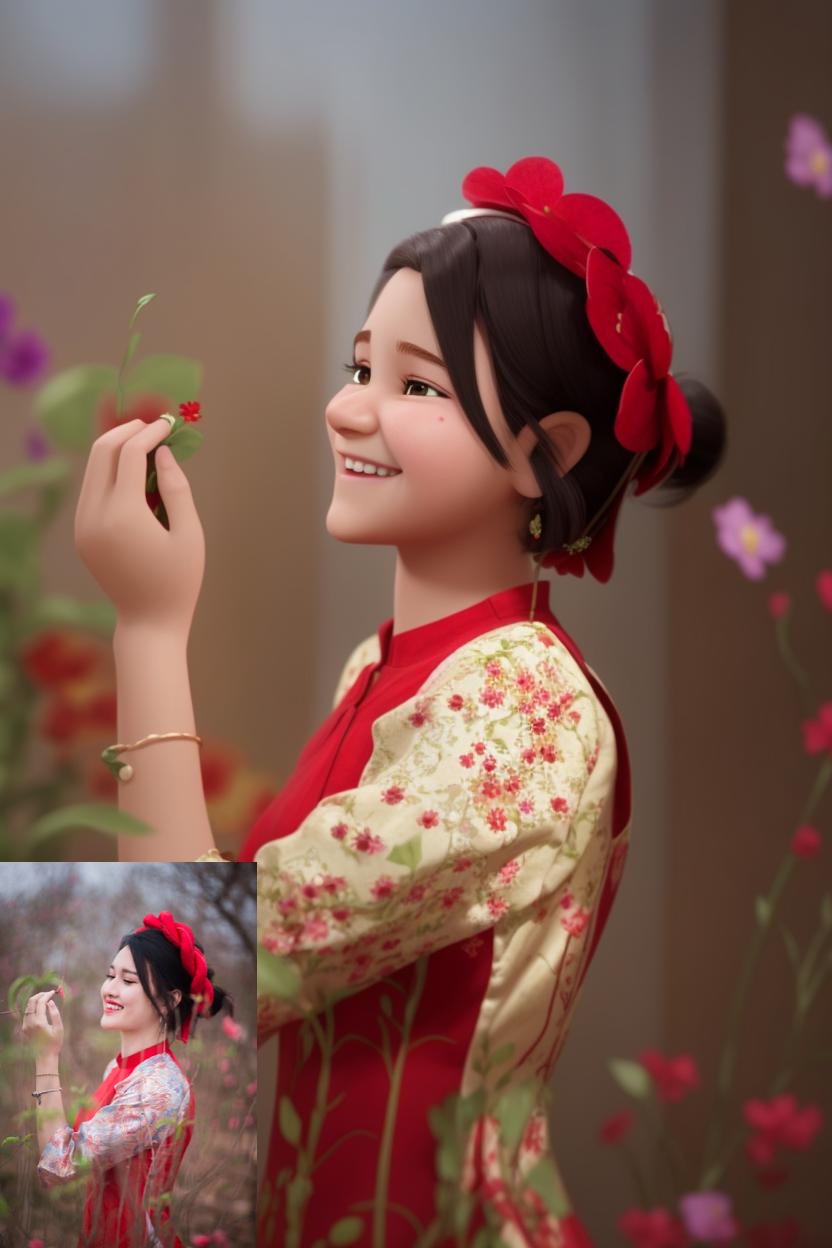
Kids
Turn your child into the hero of their own animated movie.
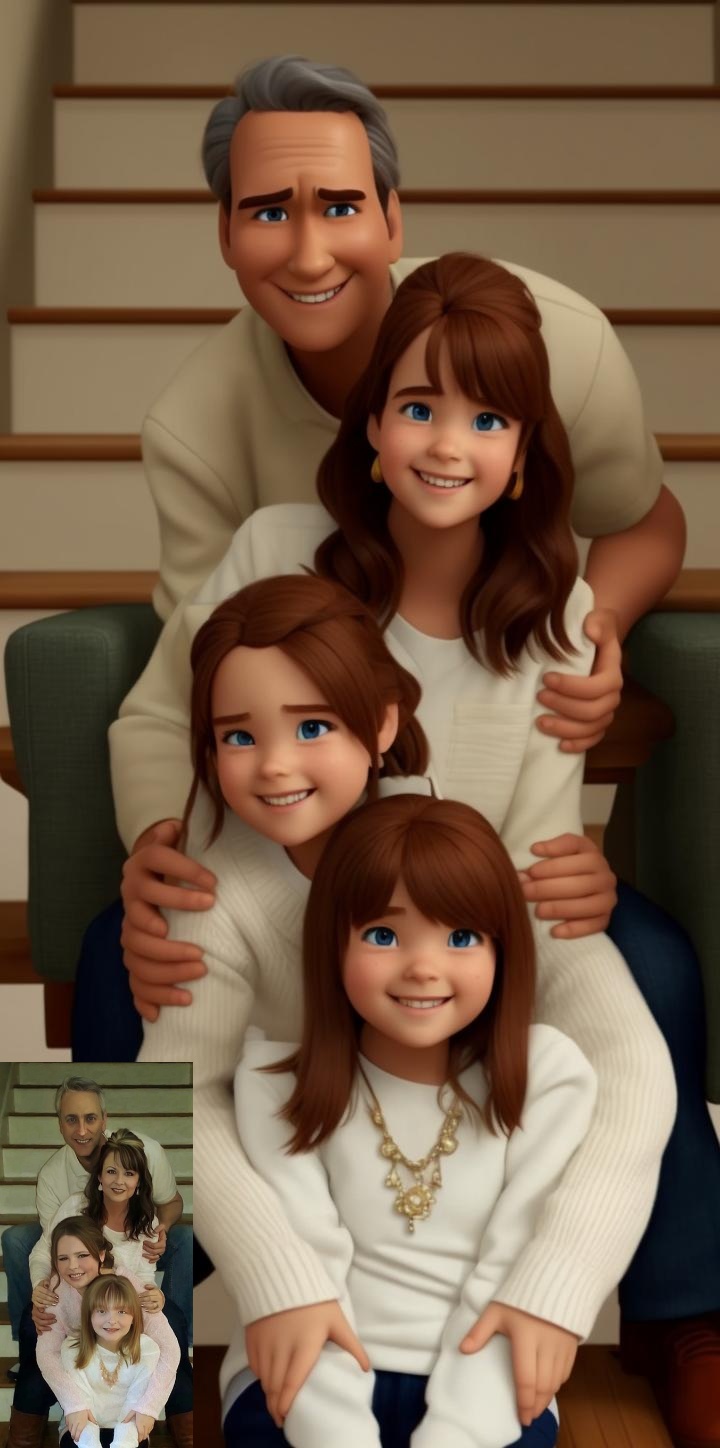
Family moments
A sweet keepsake or Mother's and Father's Day gift.
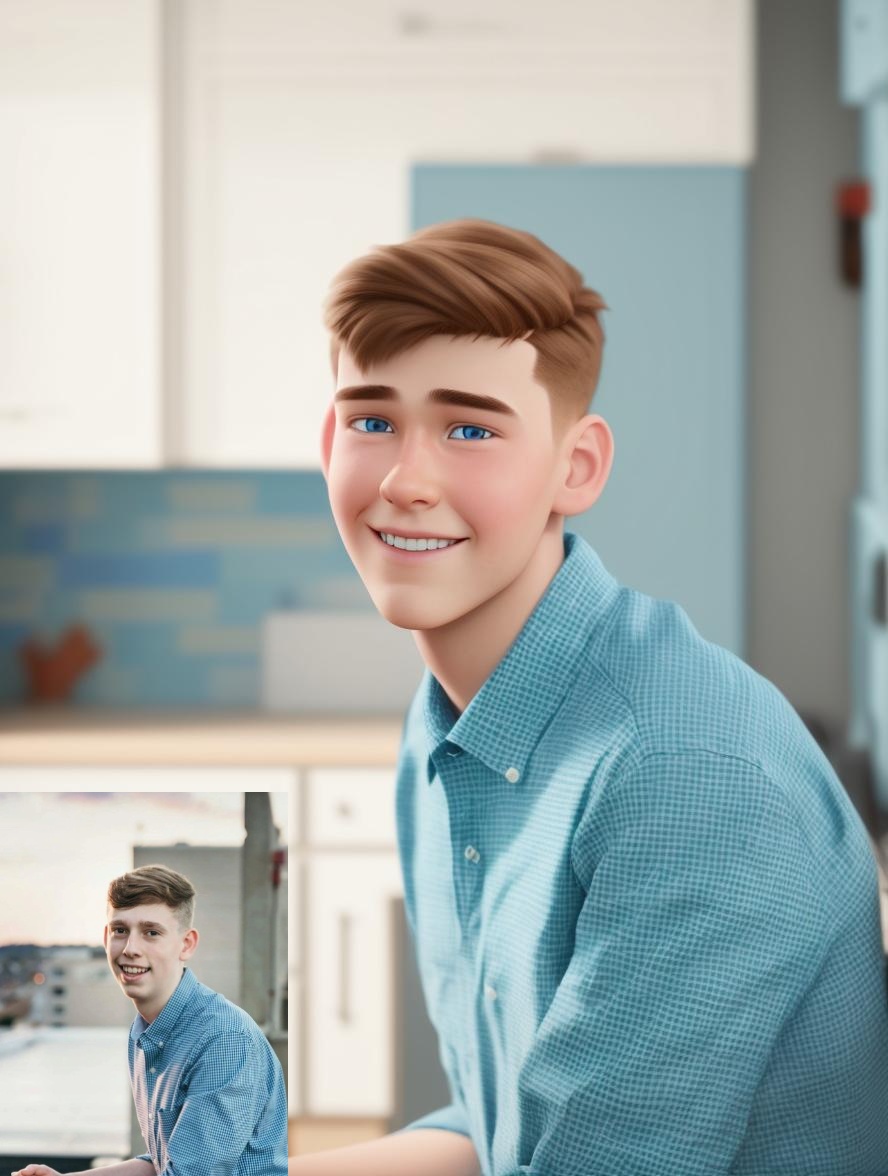
Everyday snapshots
A casual photo becomes a character ready for invitations, banners and thank-you cards.
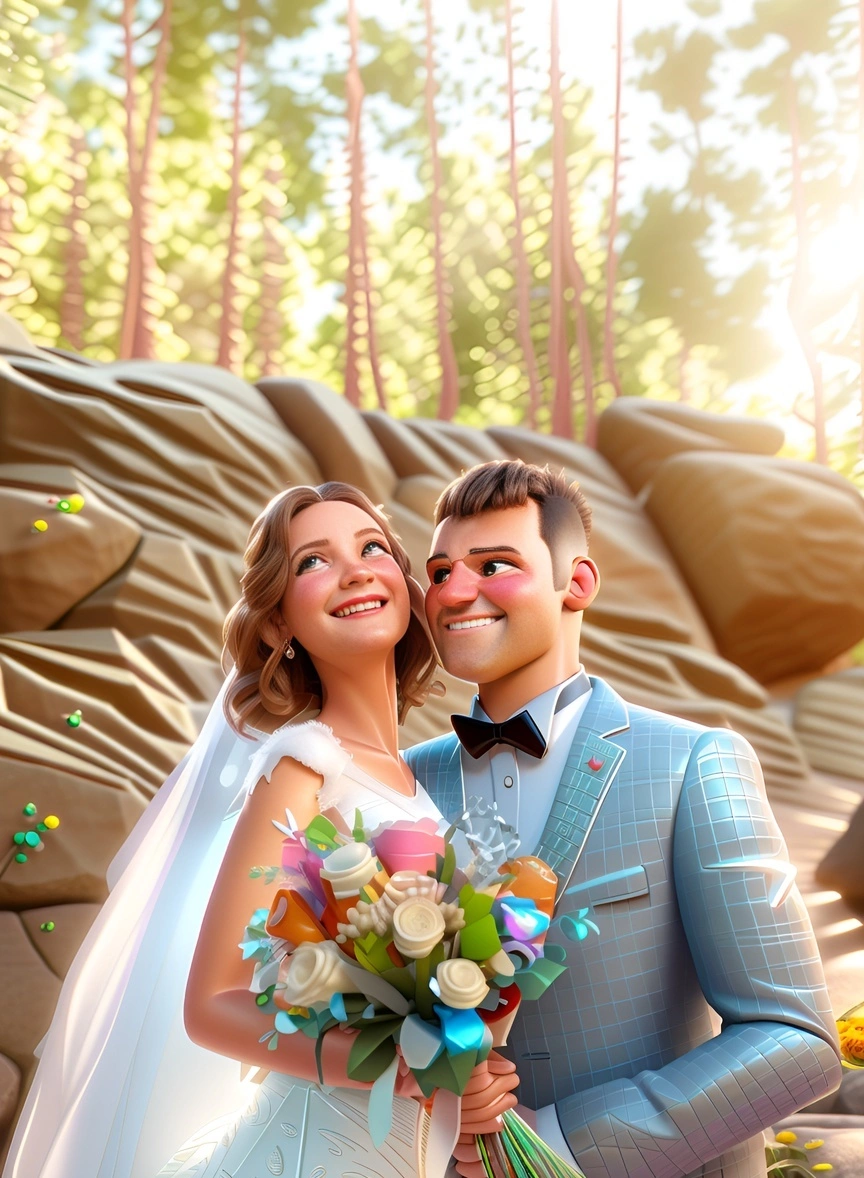
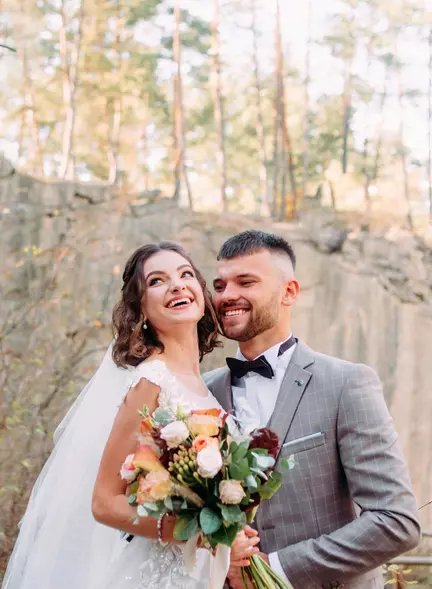
Couples and weddings
A playful twist on your wedding photo. See 11 more styles in our DIY wedding portraits guide.
Fun ways to use your 3D cartoon character
- Profile pictures and avatars. Stand out on social media, gaming profiles, work chat apps or your YouTube or streaming channel. Crop to a square with your face centered.
- Holiday cards. A 3D cartoon family portrait makes a card people actually keep.
- Birthday invitations and party decor. Put the birthday kid's cartoon on invitations, banners, cake toppers and thank-you notes.
- Kids' room wall art. A framed print of your child as an animated hero is a decoration they'll love.
- Custom gifts. Print your cartoon on mugs, T-shirts, puzzles, phone cases or blankets through any print-on-demand service.
- Save-the-dates and wedding signs. A cartoon of the two of you adds a fun, personal touch.
- Family group chats. Share everyone's cartoon version and watch the reactions roll in.
Tips for the best 3D cartoon results
- Show your face clearly. Front-facing or slightly angled faces work best. Avoid sunglasses, low hats or hands covering the face.
- Smile! The style amplifies expressions, so a natural smile or laugh produces the most charming characters.
- Use good light. Bright, even daylight helps the AI capture your features and hair color.
- Upload the original photo. A full-resolution file gives better detail than a screenshot or a compressed copy from social media.
- For groups, make sure everyone is visible. Faces that are partly hidden or very small may not come through as clearly.
- Try a few versions. Use "🎲 Resample" two or three times and pick the one that looks most like you.
Frequently asked questions
Will my 3D cartoon still look like me?
Yes. Your hair, outfit, pose and key facial features carry over from your photo, so friends and family can tell who it is. Results vary by photo, so generate a few versions and keep the best likeness.
Is the result a 3D model?
No. It's a high-resolution 2D image rendered in the style of 3D animation, ideal for avatars, prints and gifts. It's not a 3D file for animation software or 3D printing.
Can I cartoonize a family or group photo?
Yes. Family and group photos work well, with each person keeping their own look. Photos where everyone's face is clearly visible give the best results.
Can I use it as my profile picture?
Absolutely. Download the image and crop it to a square with your face centered for social media, gaming and chat apps.
What's the difference between Cartoon 3D and Cartoon 2D?
Cartoon 3D looks like a computer-animated movie character, with depth, lighting and volume. Cartoon 2D looks like a flat, hand-drawn cartoon. You can try both on the same photo.
How much does it cost?
You can try it with trial credits before buying. See the pricing page for current plans; no subscription is required.
Become the star of your own animated movie
Upload a selfie, a photo of your kids or the whole family, and get your 3D cartoon character in seconds.
Try Photo to 3D Cartoon