 PortraitArt


How to Make Custom Coloring Pages from Your Own Photos
Kids will color a generic cartoon for five minutes. Hand them a coloring page of their own dog, their family's trip to the farm or their grandma's house, and they'll spend the whole afternoon on it. Turning your own photos into coloring pages is easy, costs almost nothing, and works for adults looking for a relaxing creative outlet too.
Quick answer: To make a coloring page from a photo, upload it to PortraitArt's photo-to-coloring-page tool, choose the Coloring Page style, then download and print the black-and-white line art. You can also trace a printed photo by hand or use an edge-detection filter, but those methods usually leave broken lines and dark patches that are hard to color.
Why make coloring pages from your own photos?
Personal photos turn a quiet activity into something kids actually care about. Parents and teachers use them because they:
- Hold attention longer. Kids are far more invested in coloring their own pet, sibling or birthday party than a stock cartoon.
- Spark conversation. "Who's that?" and "Remember when we went there?" turn coloring time into storytelling and memory practice.
- Build skills. Coloring practices fine motor control, hand-eye coordination and patience, with built-in motivation.
- Make great handmade gifts. A colored-in family portrait is the kind of gift grandparents keep on the fridge for years.
- Bring lessons to life. Teachers can turn photos from field trips, class pets or cultural events into worksheets.
- Help kids calm down. Coloring is a reliable quiet-time activity for winding down or refocusing.
Adults benefit too. Coloring a page made from your own vacation, wedding or new-baby photos is a mindful, screen-free way to relive the moment, and the finished page becomes a personal keepsake.
What makes a good coloring page?
Not every black-and-white outline is pleasant to color. A good coloring page has:
- Clean, closed lines. Shapes should be fully enclosed so color stays in, without gaps or broken strokes.
- Even line weight. Lines that are bold enough to see but not so thick they swallow small areas.
- No gray shading or black blobs. Shadows in a photo should become outlines, not solid dark patches that can't be colored.
- The right amount of detail. Large shapes for young kids; finer detail for older kids and adults.
- A clean white background. So it prints crisply and saves ink.
3 ways to turn a photo into a coloring page
1. Trace it by hand
Print the photo, place tracing paper (or a blank sheet on a lightbox or sunny window) over it, and outline the main shapes with a fine black marker. It's a fun project with older kids and gives you full control, but it takes time and patience, and faces are tricky to get right.
2. Use a photo editor or coloring app
Photo editors can approximate line art with edge-detection, "find edges" or threshold effects, and some apps convert photos automatically. These tools work pixel by pixel, so they tend to produce fuzzy or broken lines, miss soft edges, and turn shadows and dark hair into heavy black areas that are hard to color.
3. Use AI to redraw your photo as line art
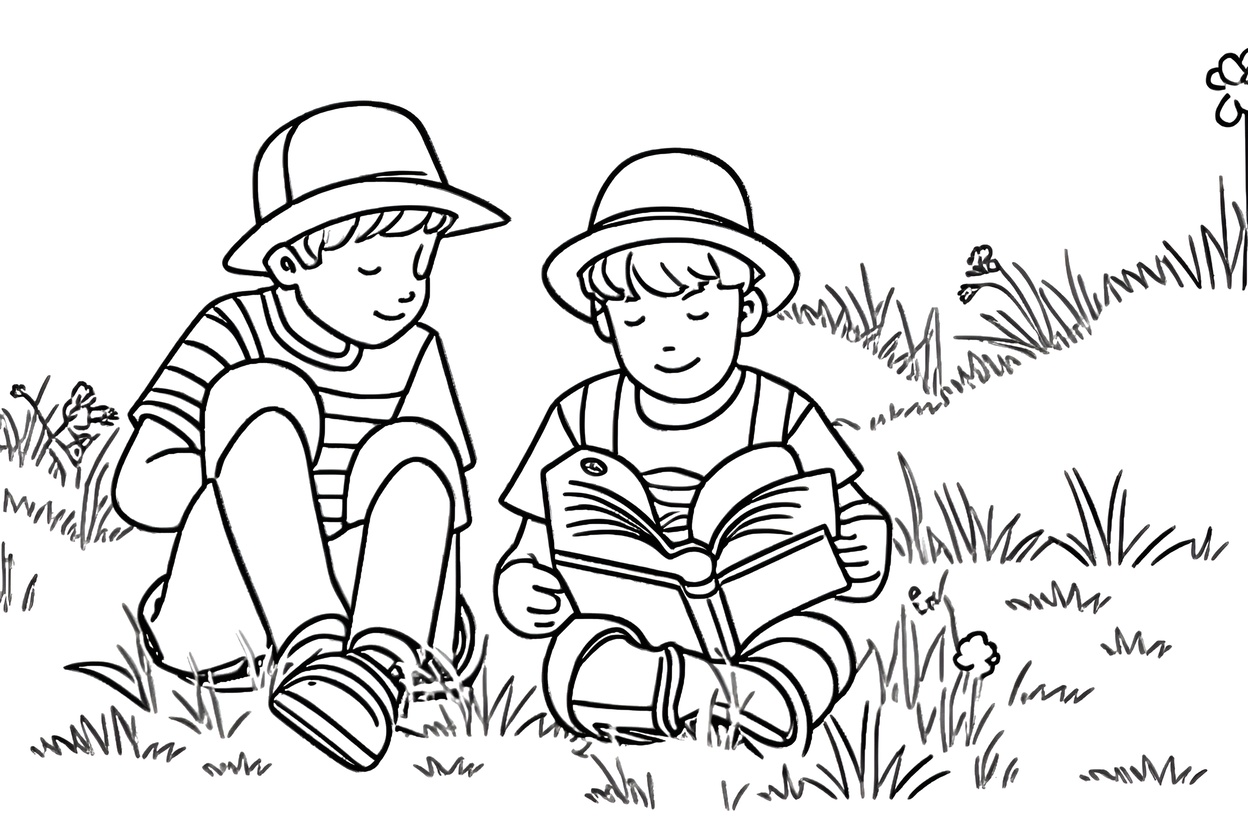
AI tools like PortraitArt don't trace pixels; they redraw the photo the way an illustrator would, deciding which lines matter and simplifying the rest. The result is clean, continuous outlines that are ready to print and color.
Here's the same photo processed two different ways:


| Trace by hand | Photo editor or app filter | AI (PortraitArt) | |
|---|---|---|---|
| Time | 30+ minutes per page | Minutes | Seconds |
| Line quality | Depends on your drawing | Often fuzzy or broken | Clean and continuous |
| Shadows and dark areas | You decide | Often solid black patches | Converted to outlines |
| Faces | Hard to get right | Often lose detail | Recognizable features |
How to make a coloring page with PortraitArt
- Upload your photo. Open the photo-to-coloring-page tool and select a photo from your computer or phone.
- Choose the Coloring Page style. Select "Coloring Page" from the list of 80+ art styles.

- Generate another version if you like. Click "🎲 Resample" to get a new take on the same photo and pick the one with the best level of detail.
- Download and print. Print on regular paper for crayons or cardstock for markers, or color it digitally on a tablet.
Photo to coloring page examples
Each coloring page below was created from the photo shown in the corner of the frame.


Family outings
A day at the farm, the zoo or the beach becomes a page kids can color while telling the story of the trip.


Pet portraits
Close-up pet photos make bold, simple pages that even young kids can color.


Pets in action
Wider shots with more of the scene add detail for older kids who like a challenge.


Homes and places
Houses, landscapes and travel spots make detailed pages that adults enjoy, and a fun "draw our home" activity for kids.
Tips for choosing the right photo
- One clear subject. A person, pet or building that stands out from the background makes the cleanest page.
- Match detail to age. For toddlers and preschoolers, use close-ups with big shapes. For older kids and adults, wider scenes with more elements are more satisfying.
- Crop out clutter. Busy backgrounds become lots of tiny shapes. Crop close or pick a photo with a simple setting.
- Good, even light. Clear daylight photos keep facial features visible in the line art.
- Match the orientation to your paper. Vertical photos fill a portrait page; horizontal photos print best in landscape.
Printing tips
- Paper: regular printer paper is fine for crayons and colored pencils. For markers or watercolor pencils, use cardstock so colors don't bleed through.
- Settings: choose "fit to page" and print in black and white or grayscale to save color ink.
- Make extras: print several copies so kids can try different color schemes, or so siblings each get their own.
- Make a coloring book: create pages from a whole set of photos, such as a vacation, a year in the life of your pet or the family tree, then staple them together or combine them into one PDF for a personalized coloring book.
- Digital coloring: load the image into a drawing app on a tablet to color with a stylus, no printer needed.
Ideas for custom coloring pages
- Birthday parties: a coloring page of the birthday kid as a party activity or take-home favor.
- Weddings: a coloring page of the couple for the kids' table. See more ideas in our guide to DIY wedding portraits.
- Holidays and family gatherings: pages made from last year's holiday photos keep kids busy while the adults catch up.
- Gifts for grandparents: kids color a page of themselves and mail it as a homemade card.
- Classrooms: field trips, class pets and school events turned into coloring worksheets. (Get parents' permission before using photos of other people's children.)
- Travel journals: color pages from your trip to relive it after you're home.
- Mindful coloring for adults: detailed pages of favorite places, homes or wedding photos for a relaxing evening.
Frequently asked questions
Can I make a coloring page from any photo?
Almost any photo works, including people, pets, houses, cars and landscapes. Photos with a clear subject and good lighting give the cleanest lines.
Is it suitable for young kids?
Yes. For toddlers and preschoolers, pick a close-up photo with one subject so the shapes are large and easy to color. Wider scenes with more detail suit older kids and adults.
Will the coloring page print clearly?
Yes. Pages are black line art on a white background, so they print crisply on any home printer in black and white.
Can I color it digitally?
Yes. Download the image and open it in any drawing or coloring app on a tablet or computer.
What if there's too much or too little detail?
Click "🎲 Resample" for a new version, or crop the photo before uploading. Cropping closer gives fewer, larger shapes; a wider photo gives more detail.
How much does it cost?
You can try it with trial credits before buying. See the pricing page for current plans; no subscription is required.
Turn your favorite photos into coloring pages
Upload a family, pet or vacation photo and get a printable coloring page in seconds.
Try Photo to Coloring Page