 PortraitArt


How to Turn a Photo into a Sculpture or Statue
Ever wondered what you'd look like as a statue in a museum or a town square? With AI, you can turn an everyday photo of yourself, your family or your kids into sculpture-style art, with sculpted hair, carved folds of fabric and the solid, timeless look of a monument. It takes seconds, and the results make striking wall art and memorable gifts.
Quick answer: To turn a photo into a sculpture, upload it to PortraitArt's photo-to-sculpture tool, choose the Sculpture style, and download the result in seconds. You get a high-resolution image of your photo reimagined as a statue, ready to print or share. (It's a 2D artwork, not a 3D model; see below if you want a physical sculpture.)
What is the photo-to-sculpture effect?
The sculpture style reimagines the people in your photo as if an artist had carved or cast them. Instead of skin, fabric and hair, you see a single sculpted material shaped by light and shadow, the way a statue looks in a museum or a park. Your pose, expressions and composition carry over from the original photo; everything else becomes monument.
A good sculpture rendering has a few telltale qualities:
- One unified material. Faces, clothing and hair share the same surface, so the image reads as a single solid object.
- Sculpted details. Hair becomes carved locks, and clothing turns into deep folds and drapery.
- Dramatic light and shadow. Depth comes from highlights and shadows on the surface rather than color, which gives the image its three-dimensional feel.
- A timeless look. Without color and modern textures, even a casual snapshot feels classic and permanent.
Why turn a photo into a sculpture?
- It's unexpected. Most photo-to-art styles look like paintings or drawings. A statue of yourself or your family stops people in their tracks.
- It makes everyday moments feel monumental. A first bike ride, a graduation or a day at the stables suddenly looks worthy of a pedestal.
- It's great for old photos. Faded, black-and-white or low-color family photos translate especially well, because the sculpture look doesn't depend on color.
- It can be heartfelt or funny. Use it for a touching tribute to a parent or a tongue-in-cheek "statue in your honor" for a friend.
How to turn a photo into a statue in 4 steps
- Upload your photo. Open the photo-to-sculpture tool and select a photo from your computer or phone.
- Choose the Sculpture style. Pick "Sculpture" from the list of 80+ art styles. Your statue is generated in seconds.
- Resample for a new version. Each result is a fresh interpretation. Click the "🎲 Resample" button (or the Sculpture style again) to try another, then keep the one you like best.
- Download, print and share. Save the high-resolution image for social media, or print it as wall art or a gift.
Photo to sculpture examples
Each example below was created from the photo shown in the corner of the frame.


Old family photos
Give a vintage snapshot of a parent or grandparent the dignity of a monument. A moving Father's Day or memorial gift.


Kids and siblings
Turn a candid moment between siblings into a playful "statue" that grandparents will love.


Sports and hobbies
Riding, running, dancing or scoring the winning goal: action shots become heroic statues, like the equestrian monuments in a city square.


Parents and children
A tender mother-and-child photo takes on the timeless feel of classical sculpture. A unique Mother's Day gift.
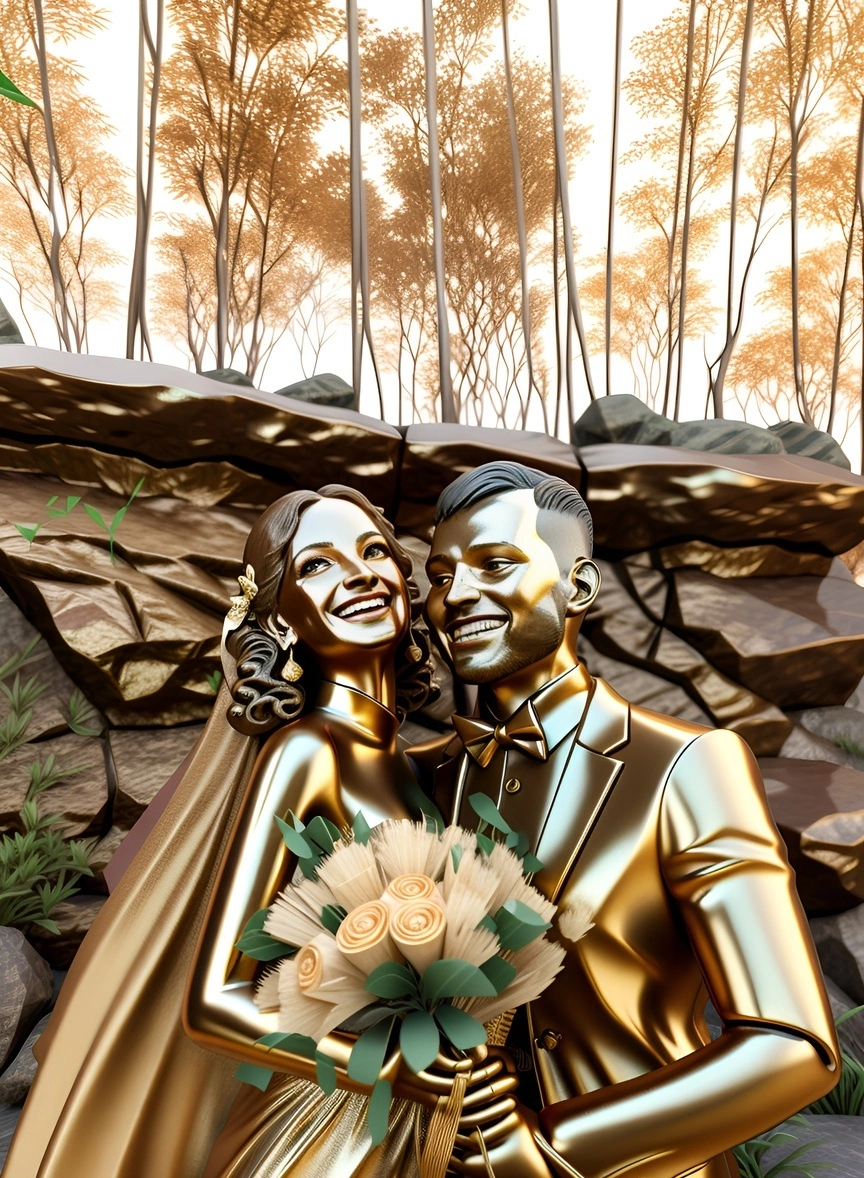
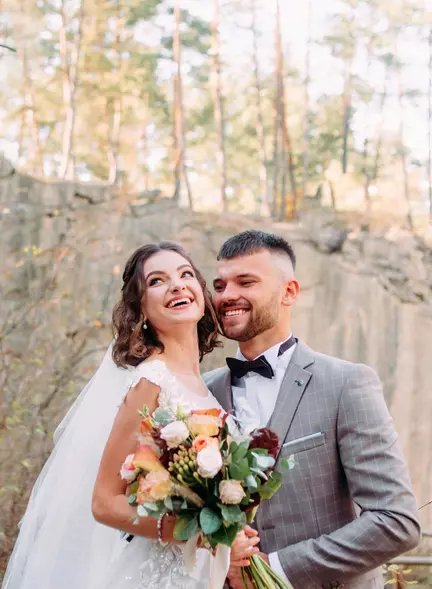
Couples and weddings
Immortalize your wedding day in bronze. See more styles in our guide to DIY wedding portraits.
Which photos make the best sculptures?
- Clear poses and silhouettes. Statues are all about form. Photos where body shape and gestures are easy to read, like standing portraits, hugs or action poses, produce the most striking results.
- Visible faces. Faces turned toward the camera keep expressions recognizable once they're "carved".
- Good contrast. Directional light, such as window light or late-afternoon sun, gives the sculpture deeper shadows and more depth.
- Simple backgrounds. A clean background keeps attention on the figures, the way a statue stands on its own.
- Old and black-and-white photos are welcome. Because the style doesn't rely on color, older photos often work surprisingly well.
- Small groups over crowds. One to four people give each figure enough detail. In large group shots, individual faces get small.
Not quite the look you want? Try related styles on the same photo: 3D cartoon for a playful animated look, vintage for an heirloom feel, or oil painting for a classic portrait.
Want a physical sculpture? Here are your options
PortraitArt creates a high-resolution image of your photo as a statue, not a 3D model. If you'd like something you can hold or put on a shelf, here's how people take it further:
- Print it. The simplest route. A metal (aluminum) print complements a bronze look, while a matte fine-art print suits a stone finish. Framed, it reads like a photo of a real museum piece.
- Use it as a brief for a sculptor. If you're commissioning a real bust or statue, the AI image is a quick, inexpensive way to show the artist the pose and feel you want before they start.
- Try an image-to-3D tool. Some AI tools can generate a rough 3D model from an image for 3D printing. Results vary, and facial likeness is usually less precise than in the 2D artwork.
- Laser-engraved crystal. Many gift shops etch photos inside glass or crystal blocks. Your sculpture image can be used as the source photo.
Gift ideas for sculpture portraits
- Father's Day and Mother's Day: a "monument" to mom or dad, especially from a cherished old photo.
- Retirements and milestones: a statue-style portrait for a retiring colleague, coach or teacher, as if the office were unveiling their monument.
- Sports achievements: a championship, marathon or first competition, immortalized like a hall-of-fame statue.
- Memorials: a dignified tribute to a loved one who has passed.
- Just for fun: surprise a friend with a "statue erected in their honor" for a birthday.
Frequently asked questions
Is this a real 3D model I can 3D print?
No. The result is a high-resolution 2D image that looks like a photograph of a sculpture. It's ideal for prints, gifts and sharing. For a physical object, see the options above.
Can I use an old or black-and-white photo?
Yes. The sculpture style doesn't depend on color, so older photos often work very well. The clearer the faces and poses, the better the result.
Will the statue still look like me?
The artwork keeps the pose, composition and facial features from your photo, so it stays recognizable. Results vary by photo, so generate a few versions with "🎲 Resample" and keep the one that looks most like you.
Does it work for group photos?
Yes. Small groups of one to four people work best because each face gets enough detail. Large group photos still work, but individual faces become smaller.
How long does it take?
Each sculpture is generated in seconds.
How much does it cost?
You can try it with trial credits before buying. See the pricing page for current plans; no subscription is required.
See yourself as a statue
Upload a photo of yourself, your family or your kids and get a sculpture-style portrait in seconds.
Try Photo to Sculpture